
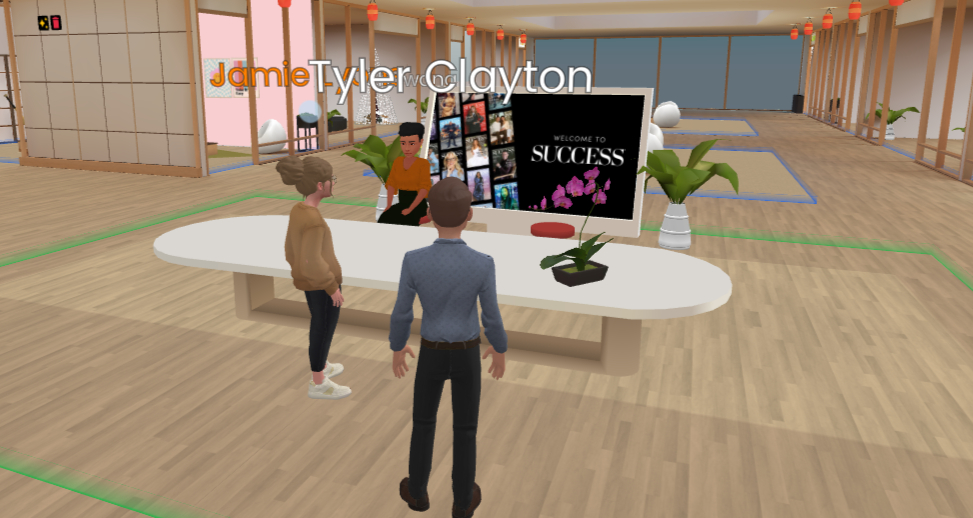
Remote teams face a stubborn problem: Video calls get work done, but they rarely create the kind of remote team connection that makes people feel like they belong. You’ve likely felt it—another grid of faces, another “you’re on mute,” another meeting that could have been an email. The result? Research continues to show that isolation and weaker workplace relationships remain among the top downsides of distributed work. A 2024 literature review synthesizing 13 studies found that remote work reduces social interactions, with collegial isolation negatively affecting work performance and collaborative behaviors.
But here’s the thing: The tools are evolving. Immersive 3D collaboration spaces—where teams meet in shared virtual environments instead of flat video grids—are helping organizations rebuild connection without demanding travel, VR headsets or complicated setups. Frame, a browser-based platform used by SUCCESS® Enterprises, eXp Realty, Microsoft and others, runs entirely in Chrome, Edge or Safari. No downloads, no installs. You click a link, choose or customize a 3D space and collaborate with spatial audio, avatars and persistent environments that feel closer to being in a room together.
Data from use cases backs the shift. Teams using immersive 3D meeting tools have reported significant gains in engagement and collaboration. One head of operations reported seeing a 40% increase in meeting engagement after moving key gatherings into spatial 3D spaces. The difference isn’t just novelty—it’s presence. When you’re not just a thumbnail in a grid but a presence in a shared space, conversation and connection change.
This article explores how immersive 3D meetings can strengthen culture and connection, why SUCCESS® and eXp are among the organizations turning to them and what you can do to bring more intentional connection into your own remote or hybrid team.
Why Video Calls Fall Short on Remote Team Connection
Video conferencing excels at information transfer. It’s less effective at building the kind of rapport that makes teams resilient, creative and loyal. Cameras-on fatigue, rigid grids and the lack of casual chats that happen when people share physical space all take a toll. Connection suffers when every interaction is scheduled, on-the-record and framed by a screen.
So what does this mean for you? If your goal is not only to get work done but to build a culture where people feel seen and connected, default video alone often isn’t enough. The key is layering in formats that create more natural, spatial and sometimes playful ways to interact.
SUCCESS® Tip: Start with one meeting type—like weekly team standups or monthly all-hands—and run it in a 3D space for a month. Compare engagement and connection feedback to your usual video calls. The data will tell you if it’s worth expanding.
How 3D Meeting Spaces Create a Different Kind of Presence
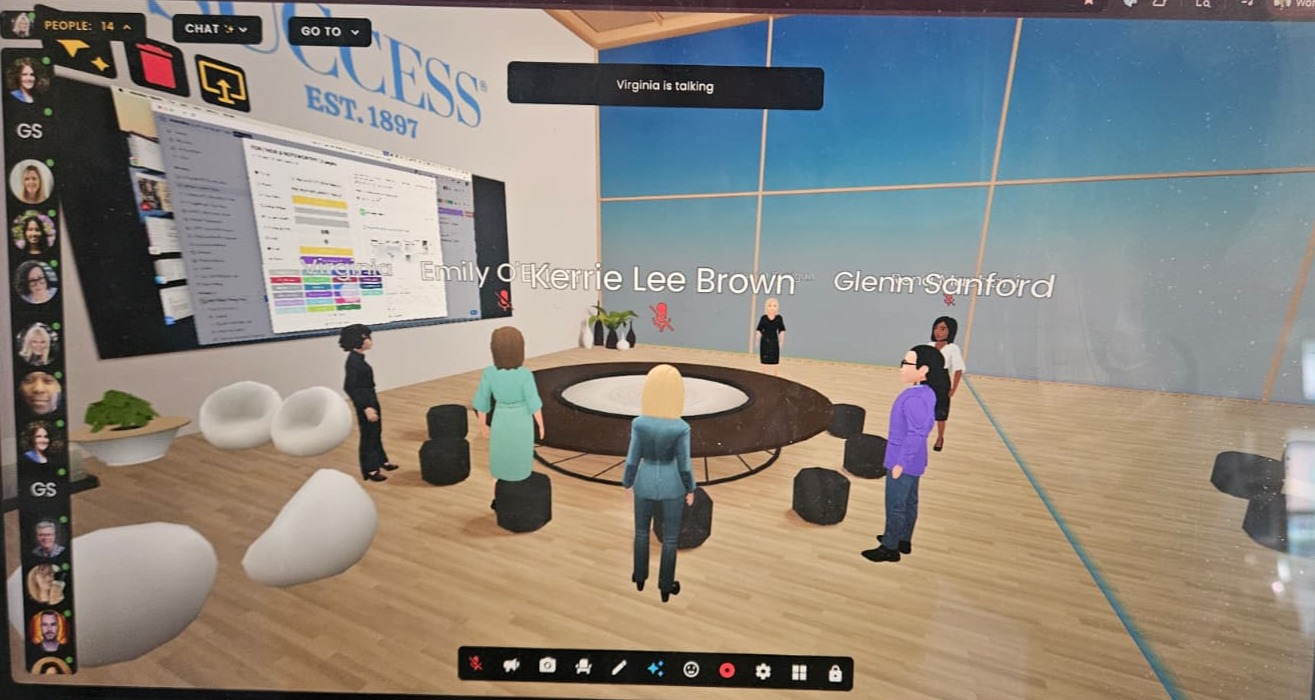
SUCCESS® editorial team discussing upcoming initiatives
Immersive 3D meeting platforms change the dynamic. Instead of a grid, you share a space. You move, you gather near someone to talk, you step away. Spatial audio means you hear people more loudly when you’re “closer” to them, which mirrors real life and reduces the “everyone talks at once” chaos of large video calls. Avatars, custom environments and persistent rooms give teams a place to return to—not just a new Zoom link every time.
Frame emphasizes this intentionally: “Spatial meetings that feel natural. Share, brainstorm, and build together in 3D environments.” The focus is on natural movement, persistent spaces and avatar interaction—elements that help distributed teams feel less like they’re staring at screens and more like they’re in a shared context. Add-ons like automatic meeting summaries, live translation in dozens of languages and generative tools for 3D assets can further support global and async collaboration.
The benefit isn’t abstract. Organizations report that these features have “transformed how our remote team works together daily” and that “collaboration features” directly improve the quality of team interaction. When presence feels more natural, connection tends to follow.
SUCCESS® Tip: Use spatial audio to your advantage. In 3D meetings, encourage people to “walk” closer to someone for a sidebar conversation, just like they would in person. This natural movement creates organic connection moments that video grids can’t replicate.
Who’s Using It: SUCCESS®, eXp and the Push for Culture
Real-world adoption shows how these tools support culture, not just productivity.
SUCCESS® Enterprises uses Frame for team collaboration and connection. As a brand built on growth, leadership and human potential, SUCCESS® has a vested interest in practices that help people work better and feel more connected. Immersive 3D spaces offer a way to bring their own distributed team together in environments that support both focused work and relationship-building—alignment with their editorial focus on workplace culture and sustainable leadership. Research has shown that team connection and safety are foundational to performance and learning.
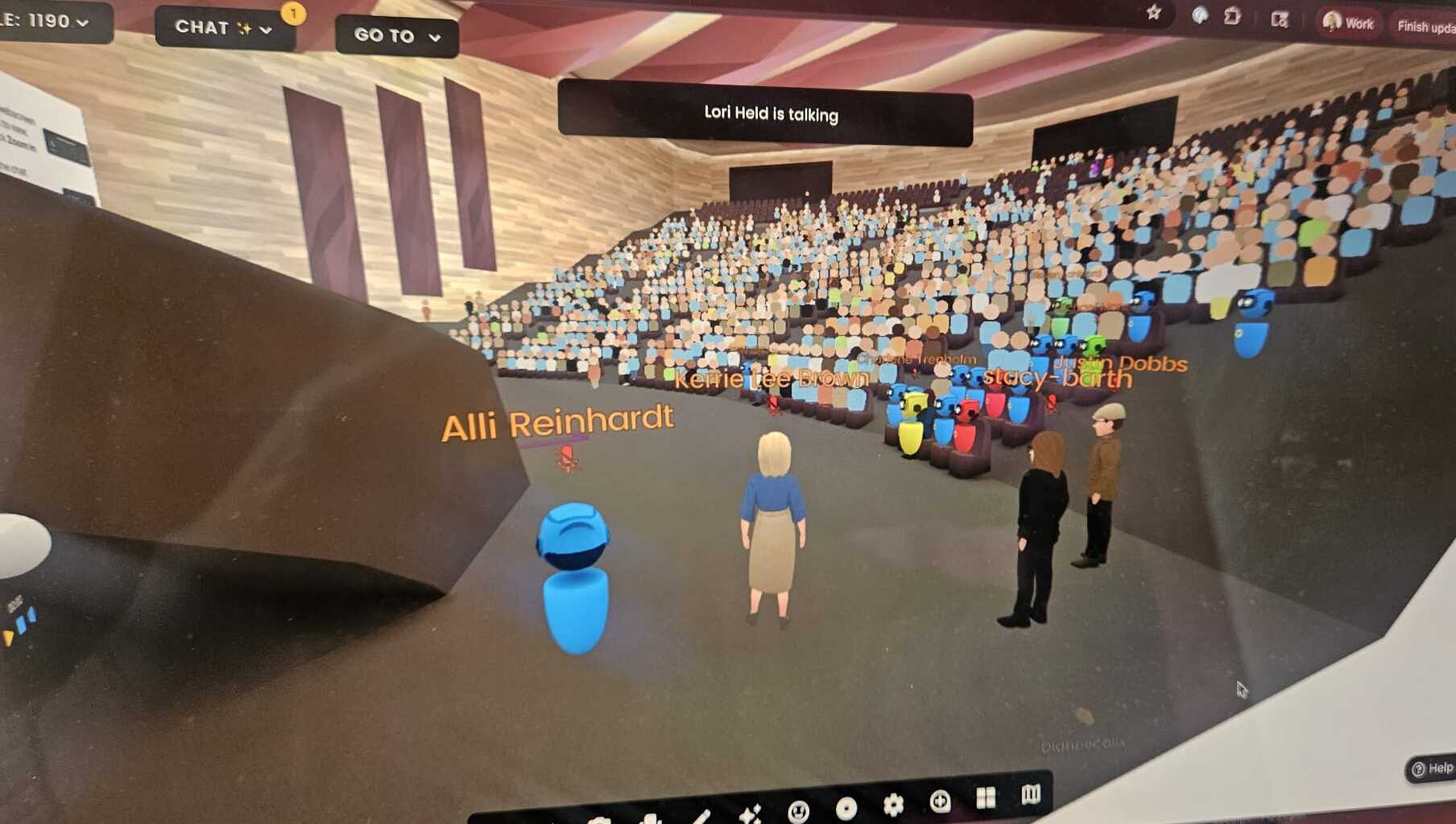
Kerrie Lee Brown preparing to speak at the all-hands meeting with parent company, eXp World Holdings
“The transformation that I have witnessed working in ‘the World’ is remarkable—barriers that typically exist in remote work simply dissolve when people share intentional presence in a space together. I’ve seen connections forged between team members who had never met in person, conversations that wouldn’t happen in a video grid and a sense of belonging that transforms how we collaborate. It’s not about the technology; it’s about creating the conditions where people can show up fully, and that’s where real connection happens. The team is more engaged and ready to take on the tasks at hand.” —Kerrie Lee Brown, chief content officer and editor-in-chief, SUCCESS® Enterprises
Another Frame customer is eXp Realty—the cloud-based real estate brokerage with a massive, distributed network of agents. The eXp model relies on remote collaboration at scale. Frame helps them create shared 3D environments where agents and leaders can train, brainstorm and build culture without constant travel. For a globally dispersed workforce, immersive meetings become a tool for culture and connection, not just transactions.
These use cases share a pattern: Organizations that care about culture and connection are adopting 3D collaboration to complement video. The goal isn’t to replace face-to-face or video entirely—it’s to add a layer that makes distributed work feel more human.
SUCCESS® Tip: Don’t try to replicate your office in 3D. Instead, design spaces that serve specific purposes—a cozy “coffee corner” for casual check-ins, a formal “boardroom” for strategy sessions or a creative “workshop” for brainstorming. Purpose-built spaces make connection more intentional.
How to Build Remote Team Connection: A Practical Guide
If you want to explore immersive 3D meetings for your team, start with clarity and small experiments.
Define what “connection” means for you. Is it onboarding? All-hands? Brainstorming? Training? Pick one or two use cases where presence and rapport matter most, and pilot there.
Choose low-friction tools. Browser-based options like Frame remove the hurdle of downloads and heavy hardware. Explore platforms that work across desktop, tablet and mobile so more of your team can participate.
Design the space and the agenda. Use templates or custom environments that fit your culture. Then design the meeting itself—who speaks when, how you use breakout areas, how you use spatial features—so the format supports connection instead of distraction.
Gather feedback. After a few sessions, ask people if they feel more present? More connected? Use that input to iterate. Connection is an outcome you can improve over time.
SUCCESS® Tip: Make your first 3D meeting a “connection-first” event—no agenda, just space for people to explore, chat and get comfortable with the format. This reduces tech anxiety and lets the social benefits shine before you layer in work tasks.
Why Presence Matters More Than Proximity
Remote work doesn’t have to mean disconnected teams. Immersive 3D meeting tools are giving organizations like SUCCESS® and eXp Realty new ways to build culture and connection without reverting to office mandates or endless travel. When you combine spatial presence, persistent spaces and intentional design, you create opportunities for the kind of connection that flat video grids often miss.
The future of work is hybrid and distributed—but it can also be more human. Tools like Frame are part of that shift. The rest is up to you: Define what connection means for your team, experiment thoughtfully and keep refining. Your culture will thank you.
Frequently Asked Questions
Q: What are 3D meetings?
3D meetings are immersive virtual collaboration spaces where teams meet in shared 3D environments instead of flat video grids. Platforms like Frame allow participants to move around, use spatial audio, interact with avatars and collaborate in persistent virtual rooms—all through a web browser without downloads or VR headsets.
Q: How do 3D meetings improve remote team connection?
3D meetings improve remote team connection by re-creating natural social cues that video calls miss. Spatial audio means you hear people more clearly when you’re “closer” to them. Natural movement allows for sidebar conversations and organic group formations. Persistent spaces give teams a place to return to, building continuity and familiarity. Research shows organizations using 3D meetings report up to 40% increases in engagement.
Q: Do you need VR headsets for 3D meetings?
No. Browser-based platforms like Frame work entirely in Chrome, Edge or Safari without any downloads or VR hardware. You can participate from desktop, tablet or mobile devices. This low-friction approach removes barriers to adoption and makes 3D meetings accessible to entire distributed teams.
Q: What’s the difference between 3D meetings and video calls?
Video calls excel at information transfer but struggle with building rapport and connection. 3D meetings add spatial presence—you share a virtual space, can move closer to someone for a private conversation and experience natural audio cues. This creates opportunities for the casual interactions that make people feel connected, not just informed.
Q: How much does it cost to use 3D meeting platforms?
Pricing varies by platform. Frame offers free tiers for small teams and paid plans for larger organizations. Many platforms provide free trials so you can test 3D meetings with your team before committing. The ROI often comes from improved engagement, reduced travel costs and stronger team culture—not just the subscription fee.
Q: Which companies are using 3D meetings for remote team connection?
Organizations like SUCCESS® Enterprises, eXp Realty, Microsoft, Trello, UMass and Janssen are using 3D meeting platforms to build connection in their distributed teams. These companies report that immersive spaces help them maintain culture, improve collaboration and create more engaging remote work experiences.
Q: Can 3D meetings replace all video calls?
Not necessarily. The goal isn’t to replace video calls entirely—it’s to add 3D meetings for specific use cases where connection matters most. Many organizations use 3D meetings for onboarding, team building, brainstorming, training and all-hands events, while keeping video calls for quick check-ins and information-sharing sessions.
Screenshots provided by SUCCESS® Enterprises