
In 2020, searches for “password strength test” increased by 300%, a search query that represents a growing and necessary public awareness of cybersecurity. Although the word cybersecurity covers a variety of things, it’s generally about protecting your data from digital attacks of all kinds.
Understanding and implementing cybersecurity best practices are important for the general public, but they’re essential if you’re a solopreneur or freelancing digital nomad. The impact of a cyberattack is so costly that nearly 60% of small businesses go out of business within six months of an attack. Although it can be intimidating to figure out where to start with protecting your data, these seven cybersecurity tips can help kickstart your journey:
1. Be cautious using public Wi-Fi.
When you’re in places like coffee shops, restaurants or even hotels, it’s best to hold off accessing private information such as your bank account or using sensitive logins. Most public Wi-Fi is unsecured, which means any information you transfer is unencrypted and can be intercepted.
Free, unlocked Wi-Fi is especially dangerous. Farah Hawa, an application security engineer and bug bounty hunter, points out that “free Wi-Fi could be set up in a public place by malicious players, or they may be on the same public network as you. Both those scenarios open up opportunities for an attacker to target you.”
This doesn’t mean you have to hole up at home or in an office to stay safe. Instead, use a personal hotspot or portable Wi-Fi to ensure a secure connection while enjoying the public ambiance.
2. Protect your screens.
Putting on a privacy screen is an affordable and easy way to protect what’s on your screen when you’re working while traveling or in a public space. The Blvk Hakr, a development, security, and operations (DevSecOps) engineer, strongly suggests privacy screens, “especially if you’re working with sensitive data or other people’s private information.”
Often, we forget that others around us can see much of what we’re doing on our computers. As a result, it’s an easy way for someone to steal your data as they peer over your shoulder at a coffee shop.
3. Safeguard your data even at home.
Even if you’re working from the security of your own home, you should still keep your cybersecurity in mind. Tazin Khan, founder and CEO of Cyber Collective, suggests protecting your data at home through a virtual private network. This protects your data by concealing your location and IP address while also encrypting your online activity.
Along with a VPN, Khan recommends secure password management tools such as 1Password or LastPass. It’s also important to utilize digital mindfulness, which Khan describes as thinking before you click. For example, a few questions to ask when clicking on a link are:
- Do I know this person?
- Is the URL the same as what is displayed?
- Is this taking me to an unknown site?
A little mindfulness can go a long way in preventing a data breach.
In addition to these safeguards, updating your systems regularly is important. System updates aren’t just about delivering cool new features; they often have security patches that will protect your data better.
4. Lie on your security answers.
Security prompts have been a part of the login process for years. Questions like “What high school did you go to?” or “What’s your mother’s maiden name?” are all too familiar. Unfortunately, these security prompts are easy to guess, thanks to the plethora of information available online. A few clicks through Google search, and a stranger could guess the accurate answer. Instead of using a factually correct security answer, create false answers that are random so others can’t guess them as easily.
5. Think before giving access and logins.
If you’re hiring someone to design or develop a site, or to update your blog, consider how much access they genuinely need and only give them the necessary level.
“If you have a GSuite or something, give them their own profile so you can monitor what they are doing and make sure they use an account other than the admin account,” The Blvk Hakr says. “Make sure you have access to the admin account and change the password after they conclude their business with you.”
Multi-factor authentication is another way to protect your logins. Although it may seem like a hassle to verify each time you log in, 99.9% of automated attacks are blocked through two-factor authentication, according to a Microsoft study from 2019.
6. Be cautious with physical security.
An often overlooked aspect of cybersecurity is physical access. The Blvk Hakr recommends having passwords for all of your digital devices, which makes it more difficult for people to access your main data hub.
“I don’t think many people consider [physical access] as they travel or just move around from place to place,” The Blvk Hakr says. “Keeping your screen locked, keeping your devices close, making sure they are kept in a secure place as you travel.”
The Blvk Hakr also recommends using anti-theft backpacks that often come with locks, which makes it more difficult for people to physically take a freelancer’s main data hub: their laptop.
7. Consider a penetration test.
Things get even more challenging when you have many moving elements on your website. Hawa recommends business owners perform a penetration test for their websites to see the potential vulnerabilities.
“A pentest will help you find bugs in your apps which can then be fixed by your developers to provide a safety app for your users,” she explains. There is also the option of having a responsible disclosure policy on your website. Hawa continues, “It may give a whitehat hacker an opportunity to report a bug in case they find one in your application. See the list of VDP’s [Vulnerability Disclosure Policies] running currently.”
Implementing best practices can go a long way in protecting your data, especially if you often travel or work from places like coffee shops, public libraries or airports. Khan encourages small business owners to take their cybersecurity seriously and to speak to professionals to develop a security protocol.
“Protecting your digital world isn’t just about protection for you as a freelancer or individual, but rather protection for your community and network,” Khan says.
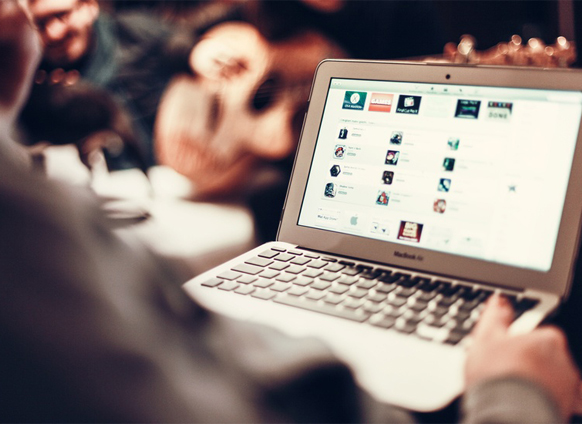
Photo by @sophie.nva/Twenty20